JourneyMap
The JourneyMap mod is one of the most beloved and widely used live mapping mods in the Minecraft community. It provides players with a powerful, dynamic, and highly customizable map system that works in real-time. Whether you are exploring vast landscapes, building detailed towns, or surviving dangerous nights, JourneyMap gives you a complete overview of your world. The interface is clean and easy to navigate, making it user-friendly even for beginners. By simply pressing the ‘J’ key, you can instantly bring up the full map along with its options menu. The map will automatically start populating as you explore, and it can even backfill areas that you have already visited in your world.
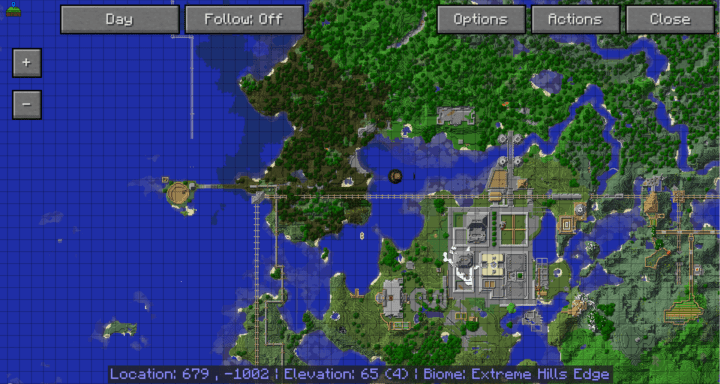
One of the standout features is the minimap. It can be positioned in any corner of the screen to suit your preference, and if you don’t need it, you can toggle it off with a simple hotkey. The minimap not only shows your terrain but also displays your exact coordinates, which is extremely useful when navigating caves or marking important locations. Players can also adjust the minimap’s size, ensuring it doesn’t block visibility while still being informative. A key advantage over vanilla maps is that the minimap updates dynamically, removing the constant need to stop and check your handheld maps. Even more, the minimap can highlight nearby enemy mobs and passive animals, which is a huge advantage for survival and farming. The options menu gives full control, letting you toggle entities on or off depending on what you need to track.
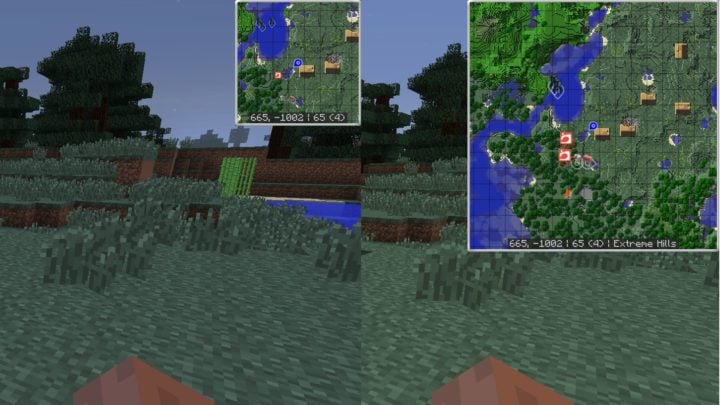
Inside the options menu, you’ll discover an impressive range of customization settings. You can choose whether to display a compass, clock, or entity markers on the minimap. This makes JourneyMap much more than just a mapping tool—it becomes a full HUD companion. For players who love immersion, being able to refine what appears on the map prevents clutter and enhances clarity during long play sessions.
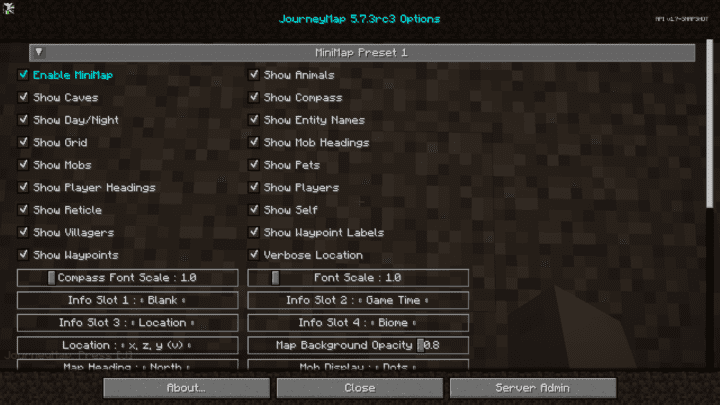
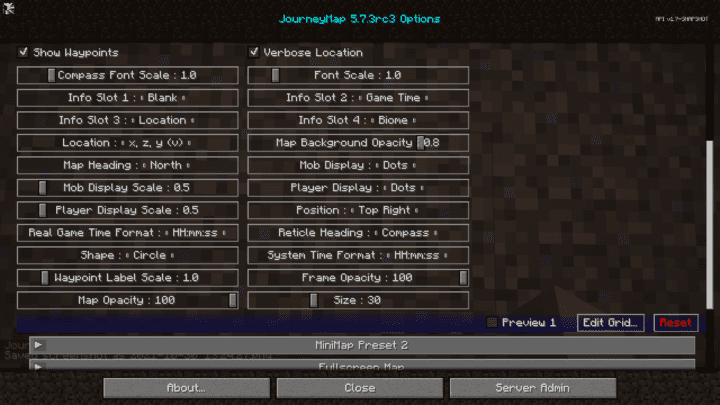
Customization is one of JourneyMap’s greatest strengths. Players can edit the icons used for entities, adjust their size, shape, and even reposition the minimap entirely. This level of personalization ensures every player can design the map interface to perfectly suit their playstyle, whether they prefer minimalism or maximum information at a glance.
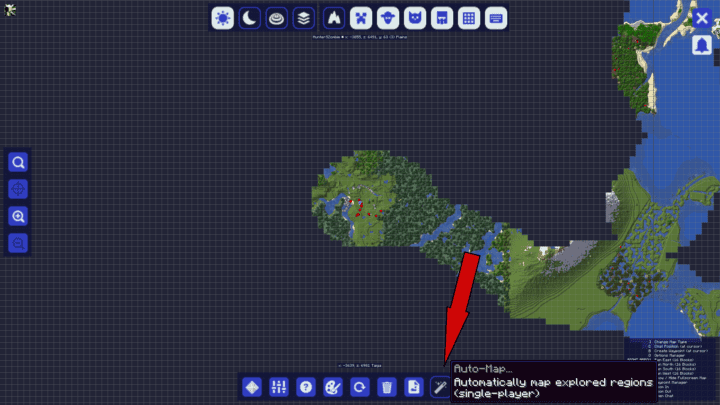
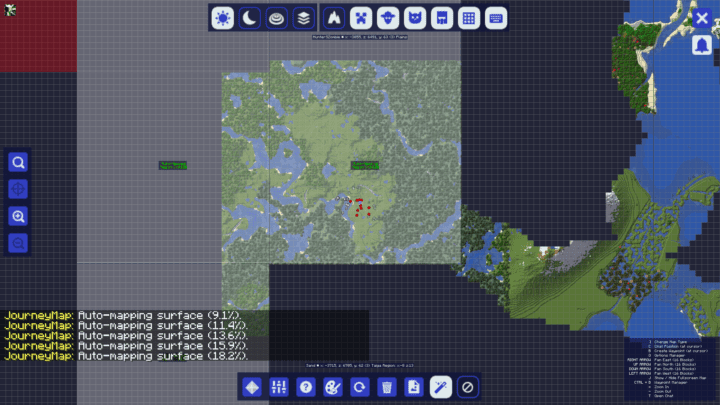
Another powerful feature is the auto-map generator. By selecting the auto-map tab after pressing ‘J’, the mod will intelligently generate parts of the world map. You can choose to fill in only the areas you’ve explored or generate the entire world layout at once. This is especially useful when loading an established world, since it saves countless hours of travel. Auto-mapping helps identify unexplored biomes, hidden landmarks, and distant structures without having to manually trek across every region.
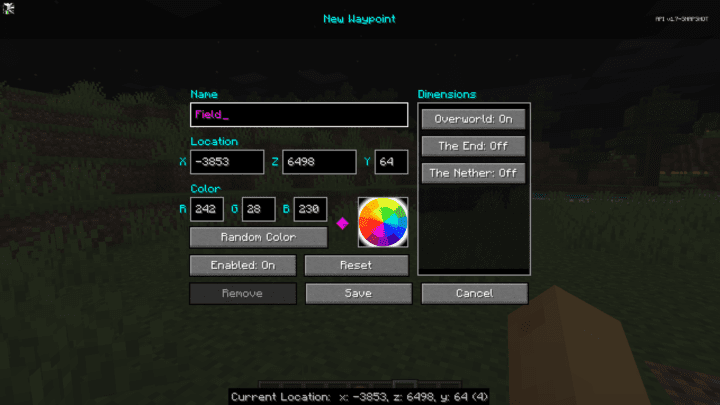
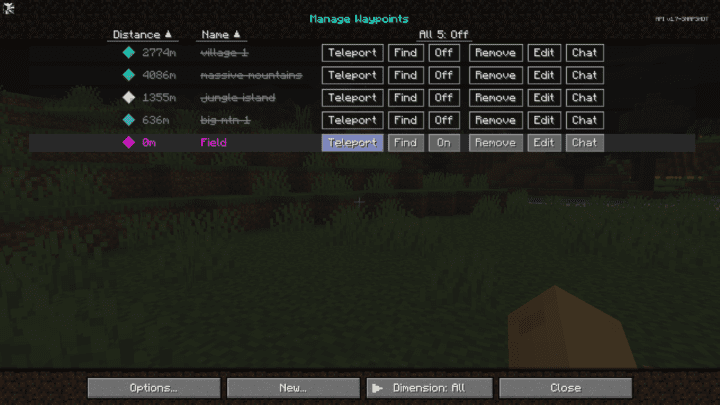
One of the most game-changing additions is the waypoint system. By pressing the ‘B’ key, you can instantly create a waypoint at your current location. A menu pops up, letting you name the waypoint, pick a color, and adjust details like coordinates. Once saved, these waypoints appear in your full map menu. Waypoints can be used for base markers, mines, villages, or any important landmark, giving you the freedom to organize your world like never before.
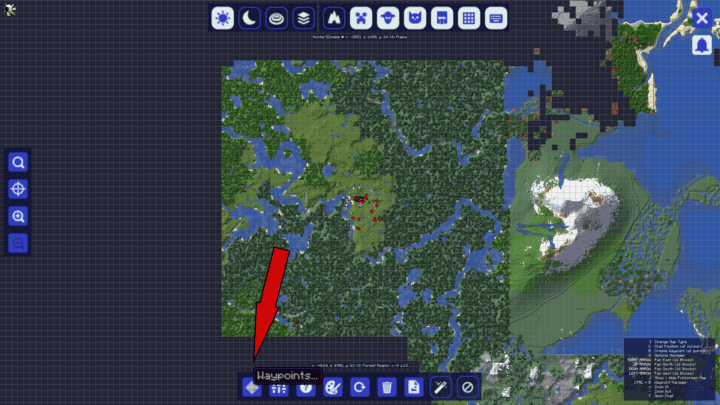
The waypoint system doesn’t just serve as a static marker tool—it’s deeply integrated with gameplay. In the full map view, a dedicated waypoint button lists every marker you’ve made. You can even teleport directly to your waypoints, removing the need for endless travel. Even more impressively, waypoints work across all dimensions, meaning you can instantly move between the Overworld, Nether, and End without a portal. This makes exploration smoother, safer, and more efficient, especially in large multiplayer servers.
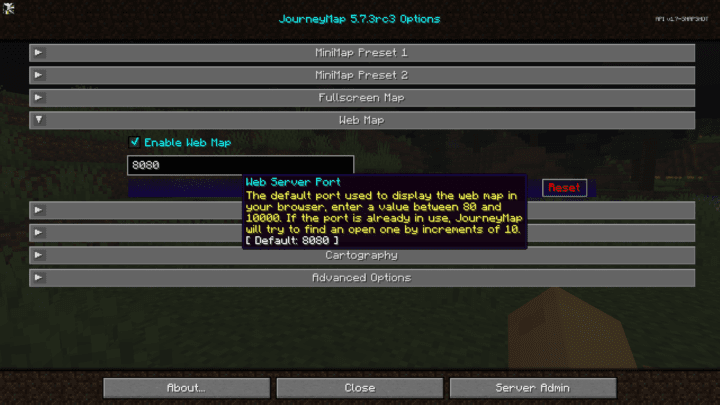
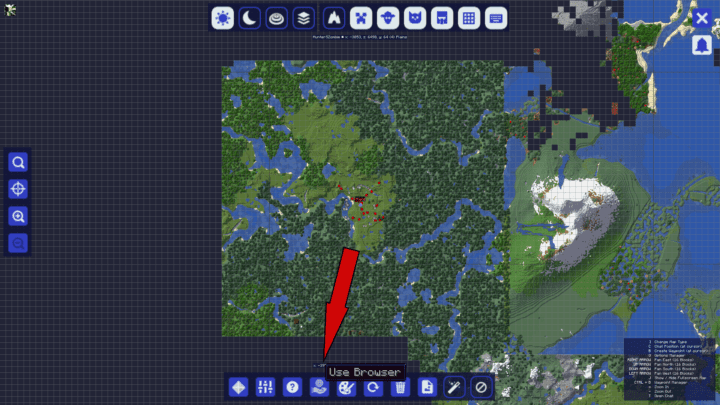
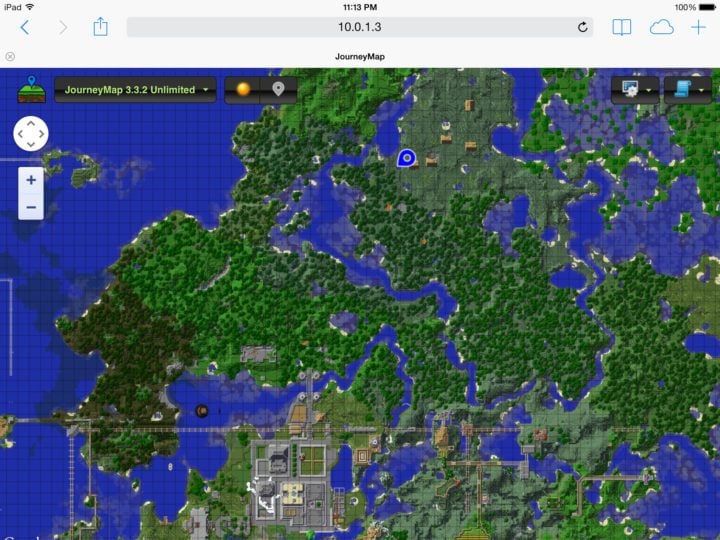
JourneyMap also offers modern integration features. With a single click, you can export your map as a PNG file, making it easy to share with friends or keep for reference. Even more advanced is the browser integration, which lets you open your world map in a web browser. This real-time browser view continuously updates your location as you move, acting almost like a GPS system for Minecraft. It’s perfect for players with a second monitor, or for those using tablets or mobile devices alongside gameplay.
In conclusion, JourneyMap stands out as one of the most comprehensive and accessible mapping mods available for Minecraft. Its combination of real-time minimap, full-scale auto-map generation, waypoint teleportation, and cross-device accessibility make it a must-have for both casual and hardcore players. With its intuitive controls and deep customization, JourneyMap transforms exploration into a smooth and enjoyable experience, ranking it among the top mods for navigation and survival.